
Control Account ဆိုသည်မှာ Balance Sheet ဘက်တွင်ရှိသော လုပ်ငန်း၏စာရင်းများအား စီမံခန့်ခွဲရန် အသုံးပြုသော Module တစ်ခုဖြစ်သည်။ ၎င်းသည် accounts receivable, accounts payable, inventory စသည်တို့တွင် control accounts များကို စနစ်တကျ စီမံခန့်ခွဲပြီး Report များပြန်လည်စစ်ဆေး အခါတွင် အထောက်အကူဖြစ်ပါသည်။
Balance Sheet ဘက်ခြမ်းတွင် Control Account ခွဲခြားနိုင်သော Account များ
- Bank Accounts
- Cash Accounts
- Customers
- Suppliers
- Inventory Items
- Fixed Assets
- Intangible Assets
- Employees
- Capital Accounts
- Special Accounts
Control Account ခွဲရန်အတွက်
Setting >> Control Account
1. Bank Account ခွဲနည်း
မိမိလုပ်ငန်းတွင်ရှိသော Bank Account များအား report ကြည့်သည့်အခါတွင် သီးခြားခွဲမကြည့်ဘဲ Bank အားလုံးတွင်ရှိသော လက်ကျန် Amount သာသိရှိလိုပါက ယခု Control Account အားခွဲခြားရန်မလိုပါ။
မိမိလုပ်ငန်းတွင်ရှိသော Bank Account များအား Report ကြည့်သည့်အခါတွင် သီးခြားခွဲ၍ ကြည့်လိုပါက ယခုပြသော Control Account အားထည့်သွင်းပေးရမည်ဖြစ်ပါသည်
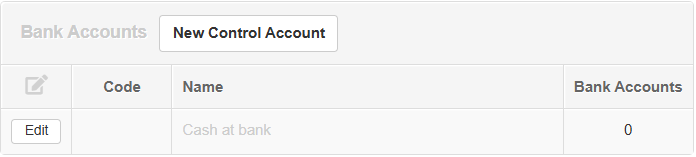
- Bank Account ဘေးမှ New Control Account ကိုနှိပ်ပါ။
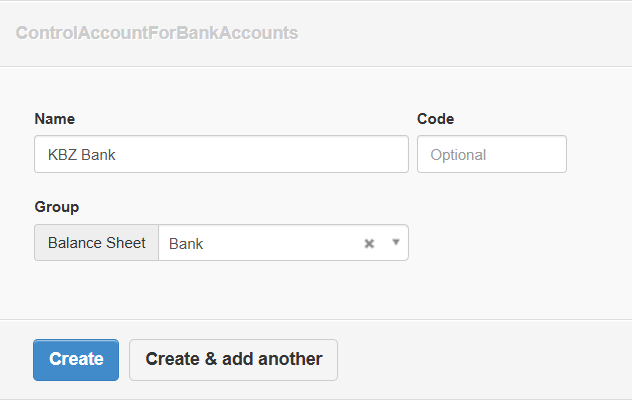
-
Name တွင် မိမိထည့်သွင်းမည့် Bank Account အမည်ထည့်သွင်းပါ။
-
Balance Sheet ဘက်ခြမ်းမှ မိမိထားရှိလိုသော group အားရွေးချယ်ပါ။
-
Create နှိပ်ပါ။
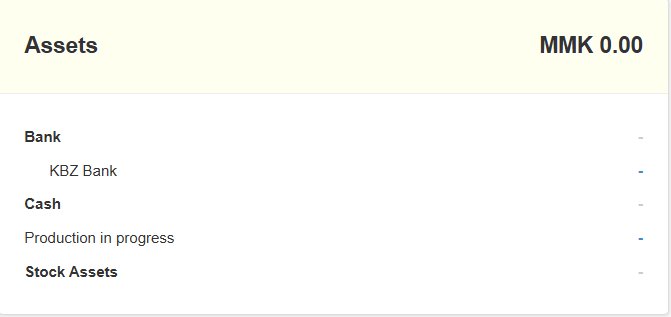
- ထည့်သွင်းလိုက်သော Bank Account သည် ရွေးချယ်လိုက်သော Group အောက်သို့ရောက်ရှိမည်ဖြစ်ပါသည်။
2. Cash Accounts ခွဲနည်း
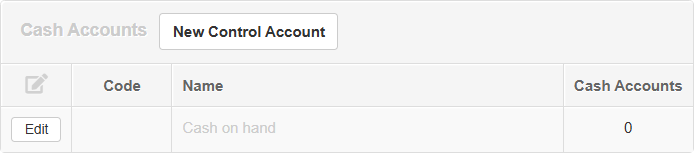
- Cash Account ဘေးမှ New Control Account ကိုနှိပ်ပါ။
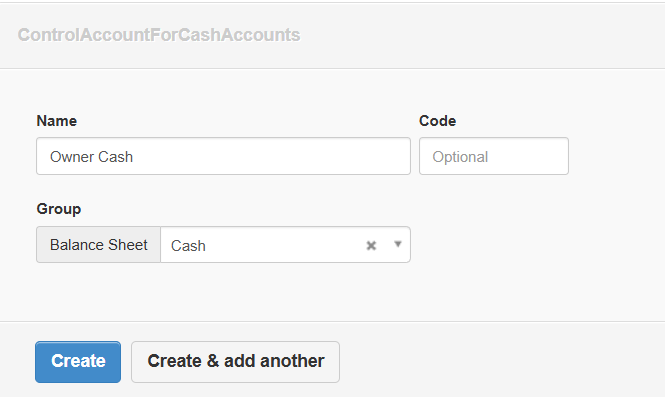
-
Name တွင် မိမိထည့်သွင်းမည့် Cash Book အမည်ထည့်သွင်းပါ။
-
Balance Sheet ဘက်ခြမ်းမှ မိမိထားရှိလိုသော group အားရွေးချယ်ပါ။
-
Create နှိပ်ပါ။