Profit and Loss Statement
လုပ်ငန်း၏အရှုံးအမြတ် စာရင်းကို ကြည့်ရှု့လိုပါက
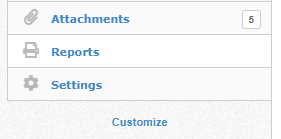
Report ကို နှိပ်ပါ။
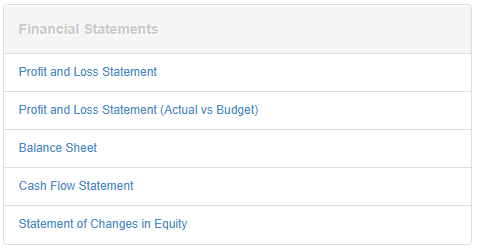
Financial Statement အောက်က Profit and Loss Statement ကို နှိပ်ပါ။
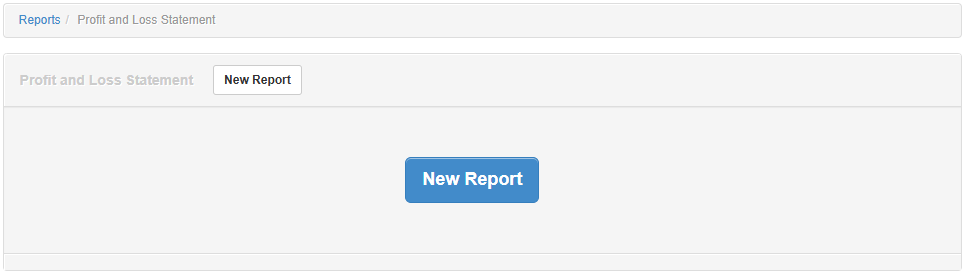
New Report ကို နှိပ်ပါ။
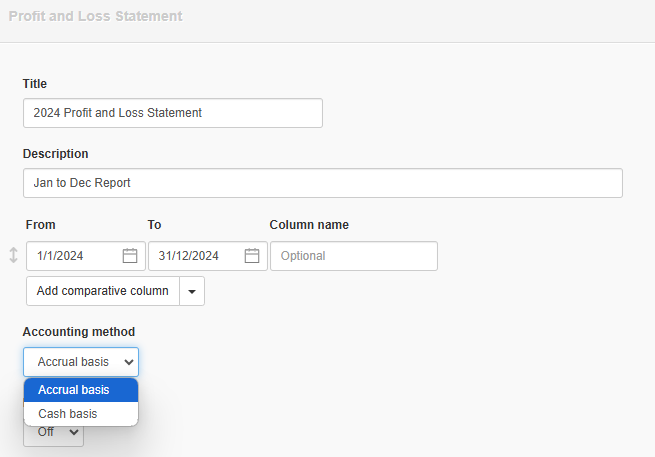
Title တွင် မိမိသတ်မှတ်လိုသော အကြောင်းရာကို သတ်မှတ်ပါ။
Description တွင်ထည့်သွင်းလိုပါက ထည့်သွင်းလိုသော အကြောင်းအရာကို ထည့်သွင်းပါ။
From နှင့် To တွင် မိမိစစ်လိုသော Date ကို သတ်မှတ်ပါ။
Accounting Method တွင် မိမိကြည့်လိုသော ပုံစံကိုရွေး၍ကြည့်နိုင်ပါသည်။
Transaction ရှိသော အကြောင်းအရာများသာ ကြည့်လိုပါက Exclude Zero Balances ကို အမှန်ခြစ်ထည့်ပါ။
Create ကို နှိပ်ပါ။

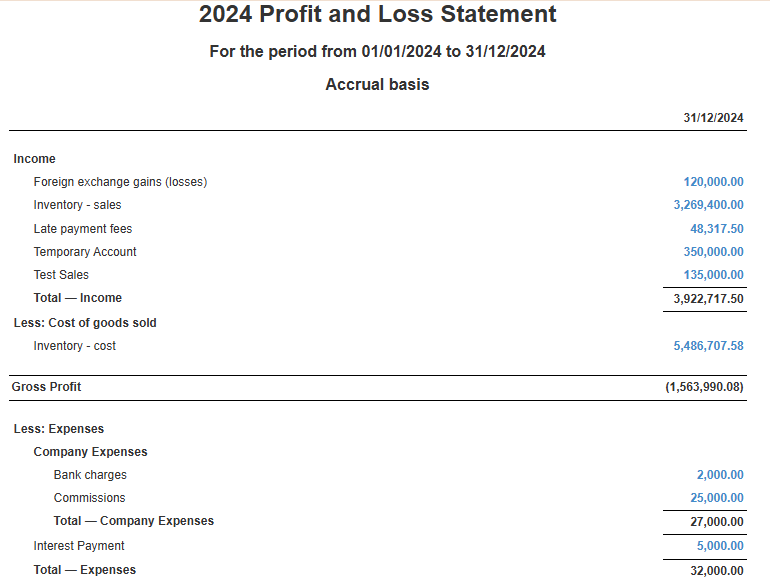
ထို့နောက် မိမိစစ်ကြည့်လိုသော Profit and Loss Statement ကို စစ်ကြည့်နိုင်ပါသည်။
Last updated 5 hours ago